Kong AI Gateway Alternative: Self-Hosted & Open Source (2026)
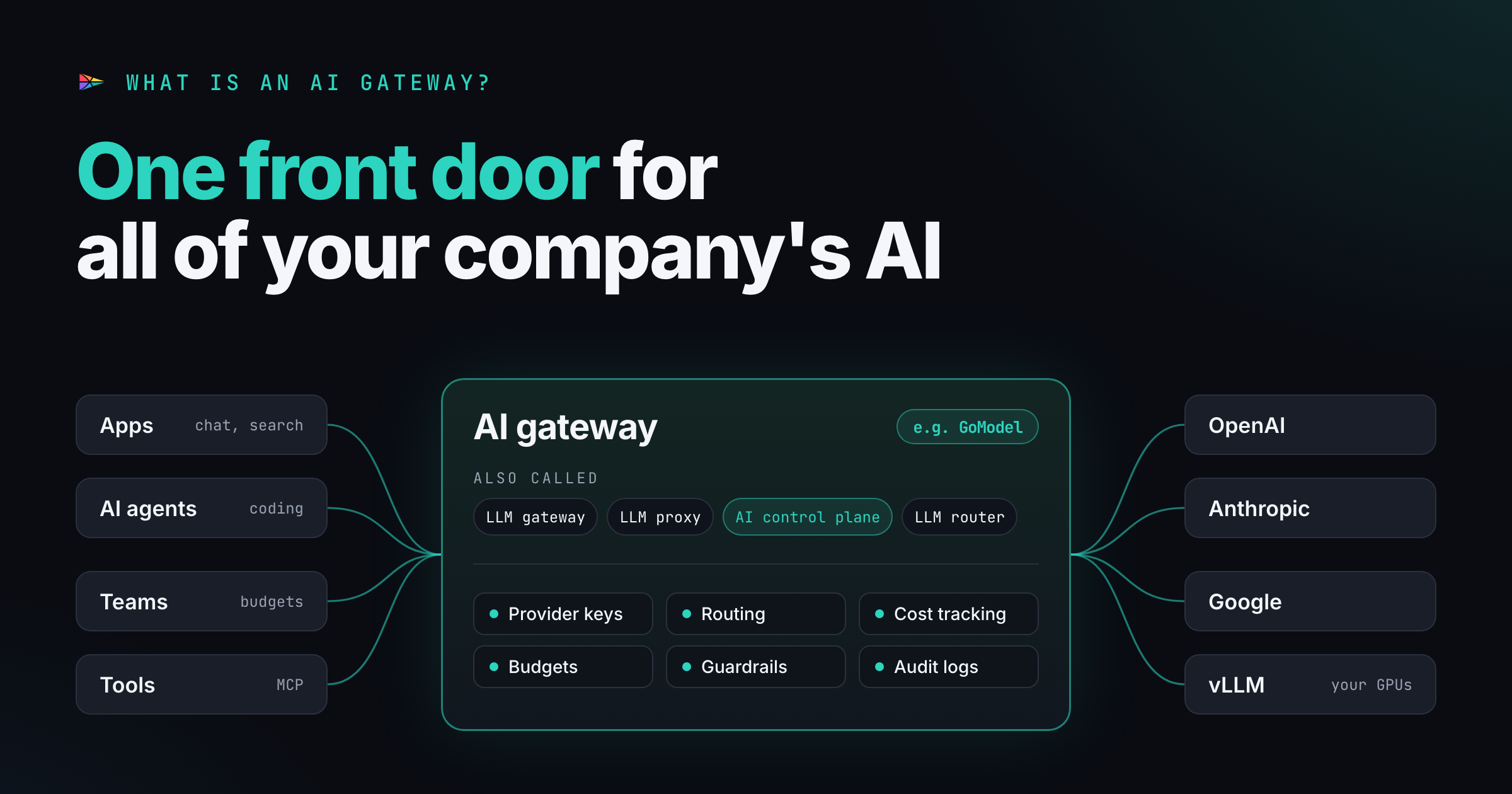
Kong AI Gateway 2.x needs Konnect's SaaS control plane and Kong OSS stops at 3.9. GoModel is an MIT-licensed LLM gateway that runs entirely in your network.
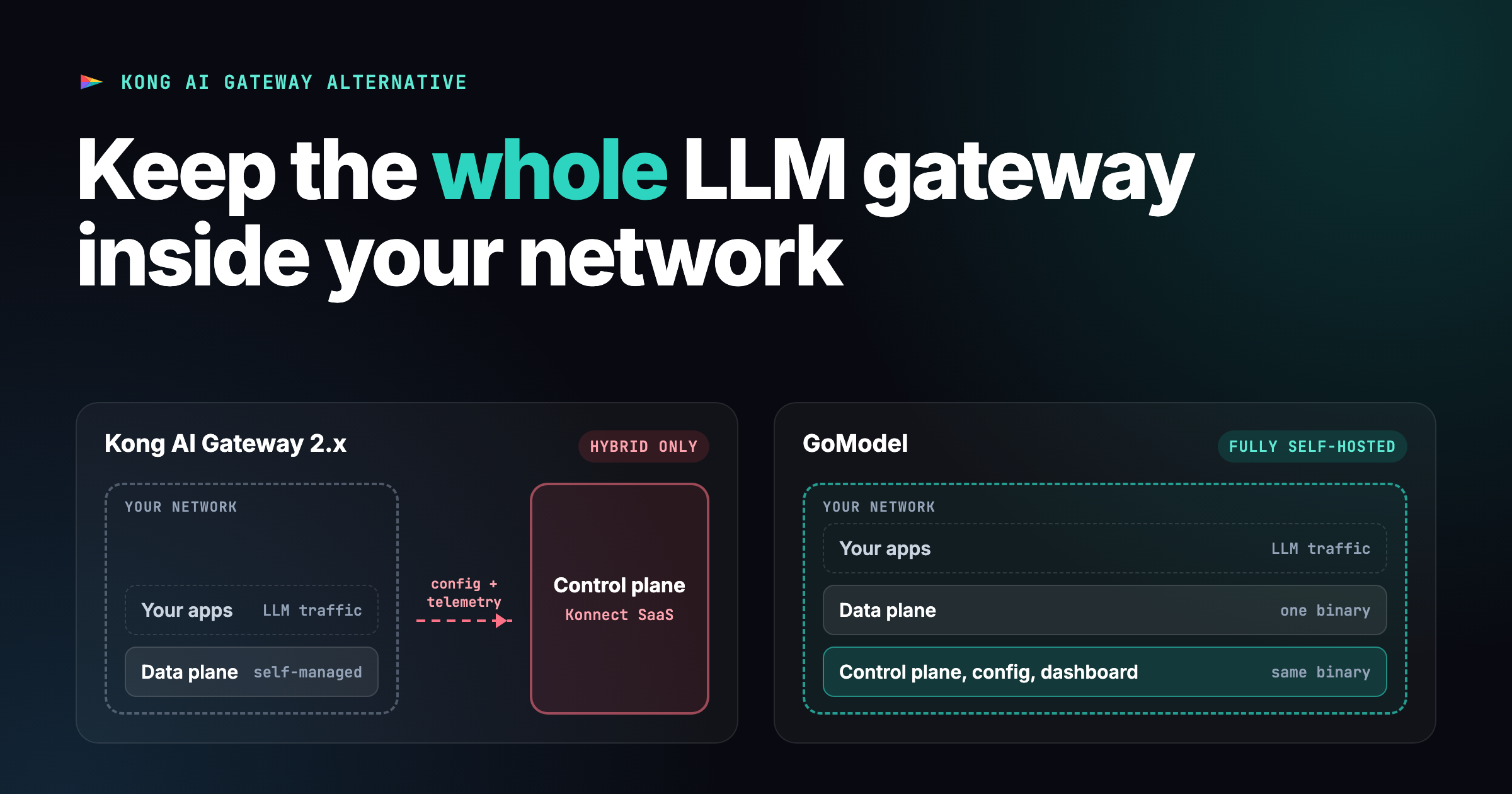
TL;DR: Kong AI Gateway 2.x only runs in hybrid mode: your data plane, Kong’s Konnect SaaS control plane. Kong OSS stops at 3.9.x, so the free AI plugins have no open-source upgrade path. If you need the whole LLM gateway inside your own network, or you’re stuck on Kong OSS, GoModel is an MIT-licensed alternative that runs as one self-hosted binary, air-gapped if needed. If you already run Kong and Konnect is fine for you, stay with Kong.
Kong is one of the most successful API companies around. It was founded in 2009 as Mashape, open-sourced Kong Gateway in 2015, and in November 2024 raised $175 million at a $2 billion valuation. It’s past $100M ARR and profitable, has around 700 enterprise customers (GSK, PayPal, NYSE among them), and analysts keep naming it a Leader in API management, most recently in the Forrester Wave for Q3 2026 and for a seventh straight year in Gartner’s Magic Quadrant.
So this isn’t a “Kong is bad” post. If your platform team already runs Kong, its AI Gateway is a sensible add-on from a vendor you trust, and you should probably use it.
This post is for two other groups, and Kong’s 2026 changes left both of them without a good option:
- Teams that need the whole LLM gateway, control plane included, inside their own network. That covers regulated EU companies, air-gapped environments, and anyone whose security review rejects “the config lives in a vendor’s SaaS”.
- Teams that ran Kong OSS with the free AI plugins and found out that the open-source line has stopped.
What changed at Kong in 2026
Until this year, Kong’s AI features were plugins on the API gateway:
ai-proxy, ai-prompt-guard, ai-prompt-decorator and so on. In July, Kong
split them into a separate product. AI Gateway now has its own runtime,
control plane, admin API and version number, all starting at 2.0. Models, MCP
servers and agents are first-class entities in the new admin API, each with its
own lifecycle, configuration and policies.
The old plugin path is being phased out. From Kong Gateway 3.18, AI plugins are opt-in rather than bundled.
Kong has also shipped quickly since the split. Agent Gateway (April) covers LLM, MCP and agent-to-agent (A2A) traffic from one control plane. AI Gateway 2.2 (September 30) added governed access to MCP tools, identity-aware AI policies, modality-aware cost management, a body-preserving passthrough mode, built-in per-model cost calculation, and a tech-preview prompt compression integration built on Headroom.
That’s a strong feature set. The catch is where it runs.
Kong AI Gateway 2.x can’t be fully self-hosted
According to Kong’s own architecture documentation, AI Gateway runs in one deployment mode: hybrid. The control plane is managed in Konnect, Kong’s SaaS, and you run only the data plane nodes. The docs also say that for AI Gateway entities there is currently:
- no self-managed, database-backed option,
- no standalone DB-less mode,
- no fully self-hosted control plane.
On-premises customers who can’t use Konnect have to express their setup in the older Kong Gateway plugin configuration, because self-hosted Kong Gateway doesn’t have the new Model, MCP Server and Agent objects.
Kong’s answer is that the control plane stays out of the data path and by default doesn’t see LLM, MCP or A2A payloads. That’s true as far as it goes, and it matters. But your configuration and telemetry still leave your network: which models you use, which teams can reach them, your policies, and your usage.
For many teams that’s fine. For a bank, a hospital, a public-sector body or a defense supplier in the EU, “the control plane is our vendor’s SaaS” is a hard conversation with compliance. Kong’s marketing pages also mention air-gap support with no dependency on external control planes, which doesn’t line up with the AI Gateway architecture docs. If you’re evaluating Kong for an air-gapped deployment, ask them directly: which product, and which version, does the air-gapped option actually run? The answer may be the 3.x plugin path rather than AI Gateway 2.x.
Kong OSS stopped at 3.9.x
The second change got less attention. Free mode in Kong Gateway hasn’t been
supported since v3.10.0, and there was no formal announcement. The upstream
open-source repository (Kong/kong) stops at release/3.9.x, so 3.9.3 is the
newest OSS release. Kong Gateway 3.10 and later appear to be Enterprise-only.
A recent issue in the Docker Hardened Images project documents the same thing.
If you built on Kong OSS with the free AI plugins, you’re pinned to 3.9 with no open-source upgrade path. The new AI Gateway 2.x is commercial and, as above, needs Konnect.
A note on sources: several of the loudest “Kong OSS is dead” posts come from other gateway vendors, who obviously have an interest in that story. We’re one too. The core facts above are backed by Kong’s own docs, the discussion on Kong’s GitHub, and the Docker Hardened Images issue, so check them yourself before deciding anything.
Pricing you can predict
Konnect Plus includes AI Gateway for up to 5 LLM models, with a $100 overage for each model beyond that. That’s on top of per-gateway and per-request fees. Enterprise pricing is custom.
Usage-based pricing isn’t wrong. But an AI gateway’s job is to make LLM spend predictable, so it’s awkward when the gateway’s own bill grows every time you add a model or your traffic goes up.
GoModel: the whole gateway runs in your network
GoModel is an open-source LLM gateway written in Go, and one of the lightest in our AI gateway benchmark. It runs as a single binary or container, and the gateway, the configuration and the admin dashboard all run on your infrastructure. There’s no external control plane and no account to create.
docker run --rm -p 8080:8080 \
  -e OPENAI_API_KEY="your-openai-key" \
  enterpilot/gomodel
Open http://localhost:8080/admin/dashboard and that’s the full deployment.
For an air-gapped install, point it at vLLM, llama.cpp or SGLang instead of a
public provider and set GOMODEL_OFFLINE=true. That turns off the update check
and the remote model catalog download, so GoModel only contacts the providers
and endpoints you configured.
What you get in the MIT-licensed core:
- OpenAI- and Anthropic-compatible APIs (
/v1/chat/completions,/v1/responses,/v1/messages), so the official SDKs work after a base URL change. - Passthrough API:
provider-native endpoints under
/p/{provider}/..., forwarded untouched but still covered by GoModel auth and tracking. This is the same idea as Kong’s new passthrough mode. - Self-service usage API: every caller can check its own usage, budget and rate-limit headroom with the key it already uses for inference.
- Cost tracking, budgets and rate limits, scoped per user, team or key through hierarchical user paths.
- Guardrails on prompts, responses and streams, including Presidio PII redaction and LLM-as-judge.
- MCP gateway: your MCP servers behind one authenticated endpoint.
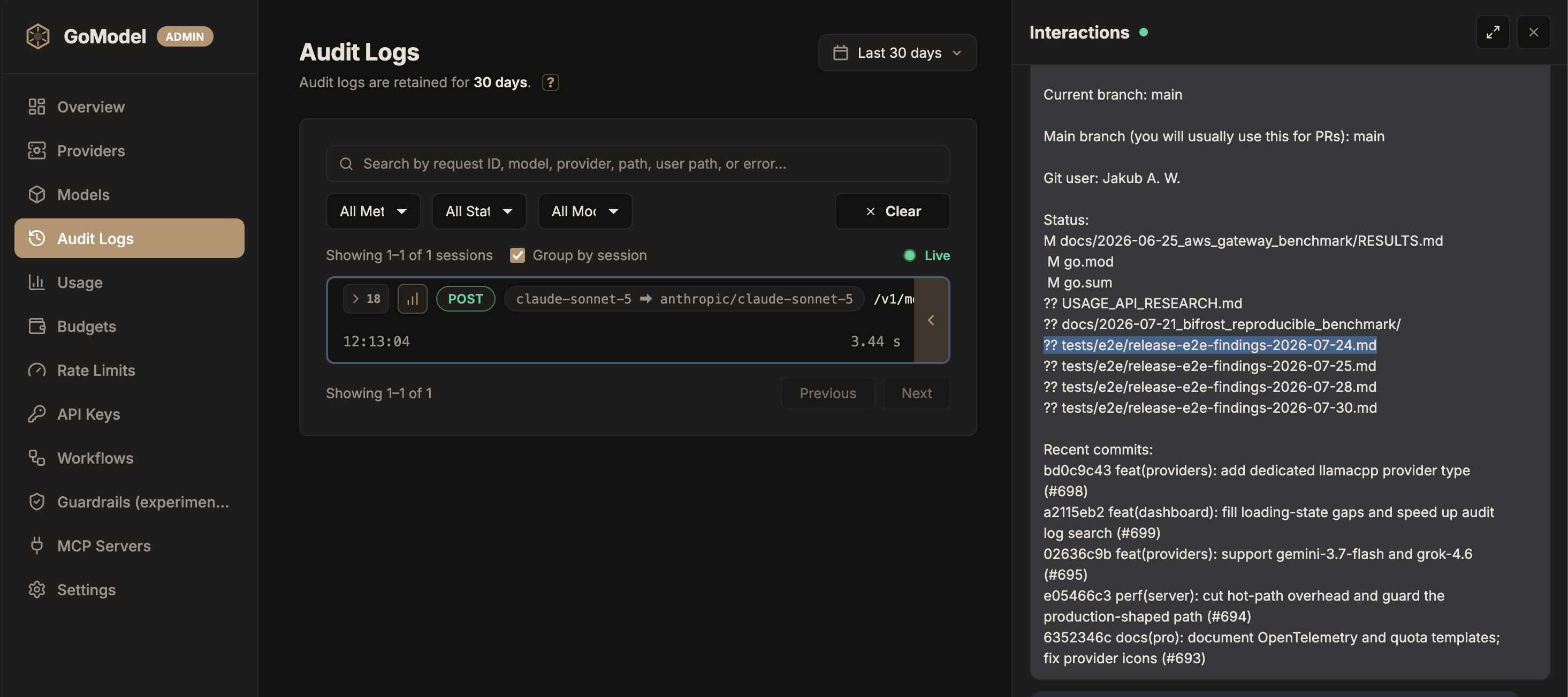
- Failover, caching, virtual models, audit logs, Prometheus metrics and OpenTelemetry traces.
GoModel Pro is the same binary with licensed extensions: prompt compression, intelligent routing and OIDC single sign-on. Pro runs self-hosted too. The license unlocks features; it doesn’t move your control plane anywhere.
Kong AI Gateway vs GoModel
| Kong AI Gateway 2.x | GoModel | |
|---|---|---|
| Deployment | Hybrid only: Konnect SaaS control plane, self-managed data plane | Fully self-hosted single binary; works air-gapped |
| Config and telemetry | Live in Konnect | Stay in your network |
| Open source | Kong OSS frozen at 3.9.x; AI Gateway 2.x is commercial | MIT-licensed core; Pro adds licensed extensions |
| Scope | APIs, events, LLM, MCP, A2A, service mesh, metering and billing | Focused on LLM and MCP traffic |
| Passthrough | Yes (2.2) | Yes (/p/{provider}/...) |
| Per-request cost tracking | Yes (2.2) | Yes |
| Prompt compression | Tech preview via Headroom | Built in (Pro) |
| Pricing | Per gateway, per request, per model above 5; custom Enterprise | Free core; Pro licensed |
| Best fit | Platform teams already standardized on Kong | Teams that need the whole stack inside their own perimeter |
Kong does a lot more than GoModel. It’s a full API platform, and if you need API management, event gateways and service mesh from one vendor, Kong is designed for exactly that. GoModel deliberately does one thing: govern LLM traffic, all of it inside your network.
Migrating from Kong OSS AI plugins
If you’re on Kong 3.9 with the free AI plugins, here’s roughly how they map to GoModel:
| Kong OSS plugin | GoModel equivalent |
|---|---|
ai-proxy | Native OpenAI/Anthropic-compatible endpoints with multi-provider routing; passthrough for provider-native APIs |
ai-prompt-decorator | system_prompt guardrail in decorator mode |
ai-prompt-guard | Guardrails: llm_judge, presidio or a custom plugin |
ai-request-transformer / ai-response-transformer | llm_based_altering guardrail in the prompt or response phase |
ai-prompt-template | No direct equivalent; keep templates in your application |
| Kong consumers + credentials | GoModel API keys bound to user paths |
You don’t have to rip Kong out to do this. A common pattern is to keep Kong in
front for the API traffic it already handles and route /v1/* LLM traffic to
GoModel behind it. Your clients see the same OpenAI-compatible API, and you get
budgets, cost tracking and guardrails with no Konnect dependency.
Which one should you pick?
Choose Kong AI Gateway if you already run Kong, you’re comfortable with Konnect hosting the control plane, and you want LLM, MCP, A2A and API governance from one vendor and one bill.
Choose GoModel if the control plane has to live inside your perimeter, you need it air-gapped, you’re stuck on Kong OSS 3.9, or you want a gateway you can read, audit and fork.
Kong’s AI gateway needs Kong’s cloud to configure it. GoModel needs nothing but your network.
FAQ
Is Kong still open source?
The open-source Kong/kong repository stops at the 3.9.x line, with 3.9.3 as
the newest OSS release. Kong Gateway 3.10 and later appear to be
Enterprise-only, and AI Gateway 2.x is a commercial product.
Can Kong AI Gateway run fully self-hosted or air-gapped? Not AI Gateway 2.x, according to Kong’s architecture docs. It runs in hybrid mode, with the control plane in Konnect and only the data plane on your infrastructure. Fully on-prem setups have to use the older Kong Gateway plugin configuration.
What’s an open-source alternative to Kong AI Gateway? GoModel is an MIT-licensed LLM gateway that runs as a single self-hosted binary. It covers OpenAI- and Anthropic-compatible APIs, passthrough, budgets, rate limits, guardrails, an MCP gateway and cost tracking, with no external control plane.
Can I run GoModel next to Kong?
Yes. Keep Kong in front for your existing API traffic and route LLM traffic
(/v1/*) to GoModel behind it.
To try it, start with the quickstart, or come talk to us on Discord about your migration.